KNN Handwriting Recognition
A machine learning project that uses the KNN algorithm to recognize handwritten digits.
Project Overview
The project is about training a KNN algorithm for handwriting recognition of handwritten digits in a Jupyter notebook. For training, the MNIST dataset was used and the model achieved an accuracy of approximately 97%.
Program Execution
The first step when the Jupyter notebook is opened is to load the training data and train the model. The model can also be saved after training and reused, but I chose not to do so for this project because I wanted to experiment with the hyperparameters.
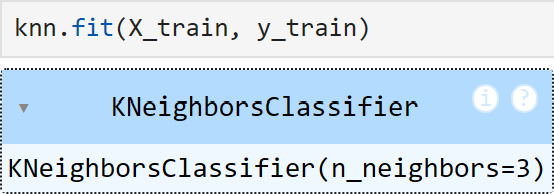
After that, the kNN model can be tested to see how well it performs:

Now we can draw our own digit to test the model with. After some experimentation, I found that MS Paint's paintbrush gives results with good accuracy. This may be because it resembles a large part of the training data. The blurriness is due to the MNIST dataset using images that are 28x28 pixels, so our input data should also be that resolution. We can draw the digit in a higher resolution and convert it later, but it doesn't add much value and the downscaling step might reduce accuracy.

After this, the program that converts PNG to CSV is run. Currently, I have written it in PyCharm, but will move it into the notebook in the future. This will make the step easier to perform. The code uses the Pillow library to easily access all RGB values on each pixel in the image. After this, it is saved to a CSV file which can then be easily sent to the kNN algorithm.

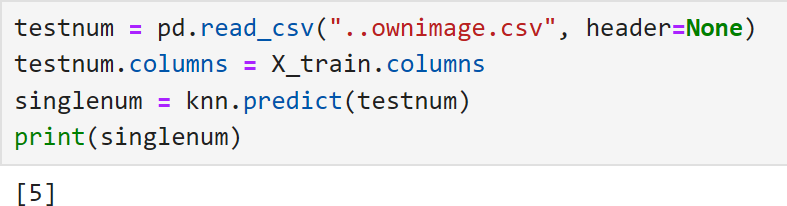
Now it remains only to send the CSV file to the kNN algorithm by using pandas to read it. Here I also copy over headers from the training data to avoid getting a warning that they are missing in the converted CSV file. Then a .predict is run on the CSV file and we get the model's prediction as output.
Challenges & Solutions
Data Format Adaptation
One challenge was to ensure that the input data from the user matches the training data. I therefore examined the sample data and its structure, and what values the pixels had there, in order to convert the image to CSV in the correct way.
The PNG with the drawn digit is converted to a CSV file using Pillow. There, all three RGB values are used for each pixel to calculate its luminosity on a scale from 0 to 255, as in the training data. It is then ready to be sent to the KNN algorithm.
Optimization of K-value
Experimented with different k-values to optimize the algorithm's performance and achieve the best possible accuracy.
Results & Learnings
Despite its simplicity, the KNN algorithm proved to be very effective with 97% accuracy on test data. The conversion process from image to CSV is currently somewhat cumbersome and will be improved in future iterations of the project.